Flash portraits
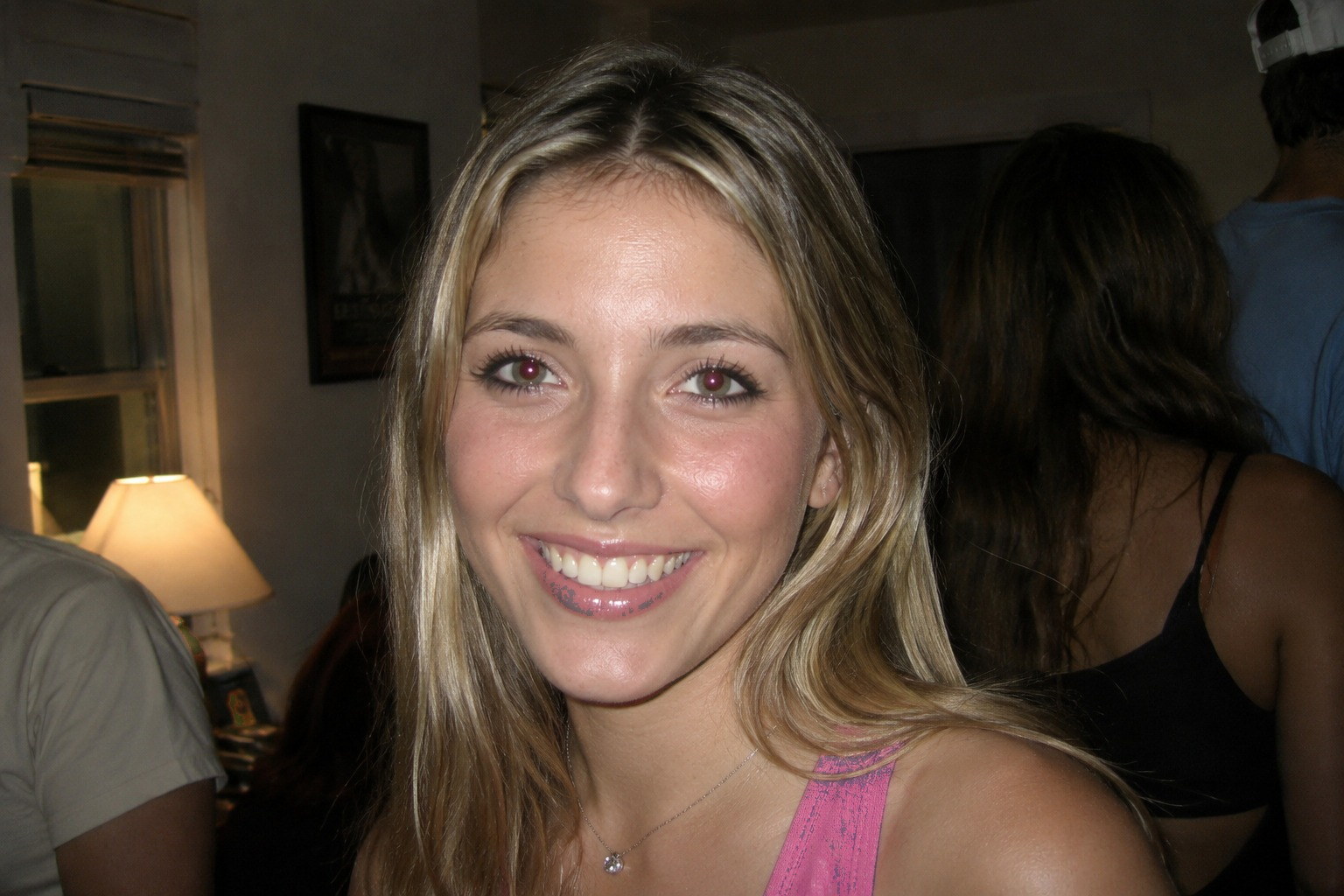
The classic red pupils from a direct on-camera flash.
Fix flash red-eye in one click. Runs in your browser — nothing is uploaded, ever.

Ready. Drop a photo or pick an example — you get a before/after you can download.
Drop a photo in, then click each eye. Only the spot you click is touched, so red clothing and skin tones stay exactly as they were — and it works on animal eye-shine, which comes back green or yellow rather than red.
Three steps, all of them on your own device. Nothing to install, no account, no upload, and no monthly cap.
Works on any JPG or PNG with flash red-eye.
→ Runs with wi-fi off
Pixels where red overwhelms green and blue are neutralised, keeping the pupil detail.
→ Pupil detail is kept
PNG up to 4000 px, no watermark, no account needed.
→ Up to 4000 px, no cap
Four times flash red-eye ruins an otherwise good photo — parties, pets, family shots, old scans.
The classic red pupils from a direct on-camera flash.
Film-era snapshots scanned with red-eye baked in.
Use a lower strength — animal eye-shine is often green or yellow.
Red-eye comes from flash bouncing off the retina, so it survives every filter until you target the pupil itself.
Red-eye comes from flash, and so does glare — if the flash also blew out a pair of glasses, the glare remover handles that. For a colour wash rather than a fix, there is the photo tinter, also free and on-device.
Every photo editor has shipped a red-eye tool for twenty years, and most of them work. What differs is how many taps it takes, whether it keeps the pupil looking like a pupil, and whether the photo leaves your device — including the cases where you should not use us.
Red-eye is flash bouncing off the retina, which is why no filter or exposure change touches it. But not every red or bright eye in a photo is the same problem.
Both pupils glowing red from a direct on-camera flash, with the iris and eyelids still looking normal. Red overwhelms green and blue inside the pupil only.
Fixable? Yes. This is exactly what the tool targets, and pupil detail survives.
Cats and dogs have a reflective layer behind the retina, so their eyes come back green, yellow or blue rather than red — and often much brighter than a human pupil.
Fixable? Partly. The colour is not red, so a red-channel fix leaves a bright, washed-out pupil.
The flash was close enough that the pupil is pure white with no detail left. There is no darker version of the eye hiding underneath to restore.
Fixable? No. Neutralising the colour gives a flat grey disc, because the detail is gone.
Irritation, crying or a red-tinted light source. The redness sits in the sclera and eyelids, not in the pupil, so it is a colour-correction job rather than a red-eye one.
Fixable? Not here. Targeting the pupil leaves the surrounding redness untouched.
Four claims. Every one of them you can check yourself, right now.
Tint and Red-eye run entirely inside your browser. Switch off your wi-fi, reload the page and use them again — they still work. Nothing ever reaches a server, so there is nothing for us to keep.
Shadow, glare and passport need a server to run. The image is processed in memory and dropped the moment the result comes back. Not written to disk, not used for training, not shared.
The AI tools cost real money per image, which is why the free plan is only 2 a month. We would rather tell you the actual reason than pretend the limit is a feature.
No watermark, no account, no locked download button at the end. This tool runs on your own device, so there is no quota to run out of and nothing to upgrade to — images up to 4000 px come back at their original size.
Everything people ask before they upload the first file.